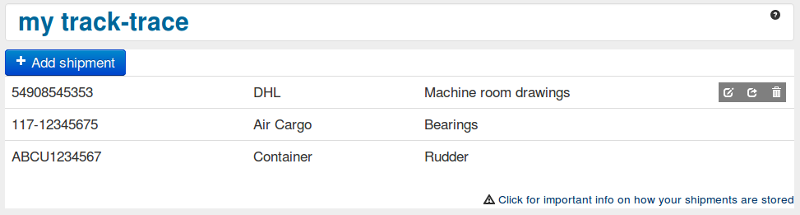
my track-trace is a customizable page for shipment tracking.

- Track new shipment
- Store new shipment
- Track & Store new shipment
- Track stored shipment
- Share stored shipment
- Delete stored shipment
- Technical requirements
- Storage method
To track a new shipment select shipper from the drop down list, enter tracking number and click 'Track'. Tracking result will open in a new window.
To store a new shipment to the list select shipper from the drop down list, enter tracking number and click 'Store'. The shipment will be added to the list below. Optionally a note with information about the shipment can be added.
By clicking 'Track & Store' you can execute item 1 and 2 simultainiously.
To track a stored shipment click the tracking number in the list.
To share a stored shipments click the envelope to the right of the shipment in the list. You can either send our standard email directly from the page or copy the link into your own email, instant message or other form of communication. Your notes will not be shared.
To delete a stored shipment click the garbage bin to the right of the shipment in the list.
The my track-trace page requires javascript and cookies to be enabled, and we recommend using an up to date browser. If your setup doesn't comply with this we suggest that you use our main page.
Data added to the page is stored as so called "cookies", this means that the information is stored locally on the users PC. Consult the help pages of the browser you use for information on how to backup this information to avoid loosing data. Note that if you are on a public PC the data you store will also be available to other users.